
What a sub-agent system looks like


One logical process, many agents underneath.
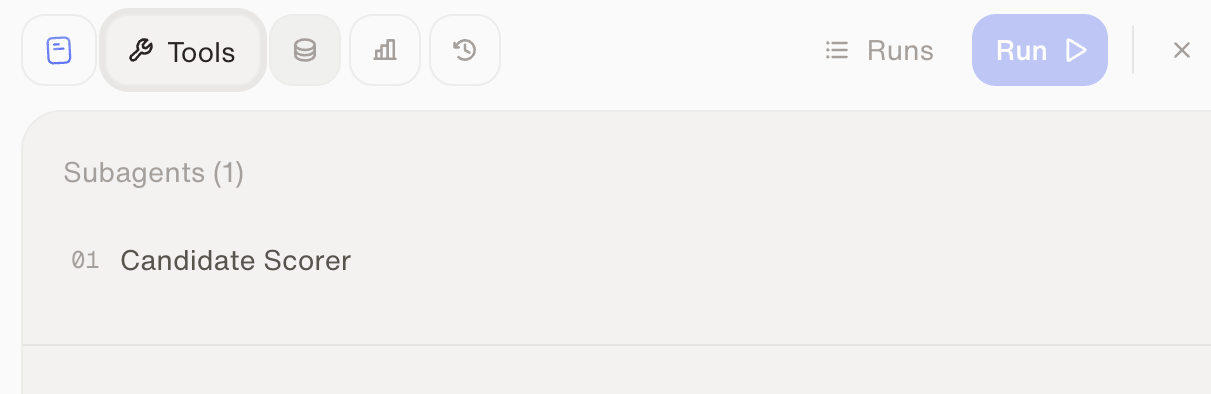
Sub-agents live in the agent's Tools tab.
Model tiers
What you can adjust: the preset — separately for the main workflow agent and for each sub-agent. Higher tiers are more capable and more expensive.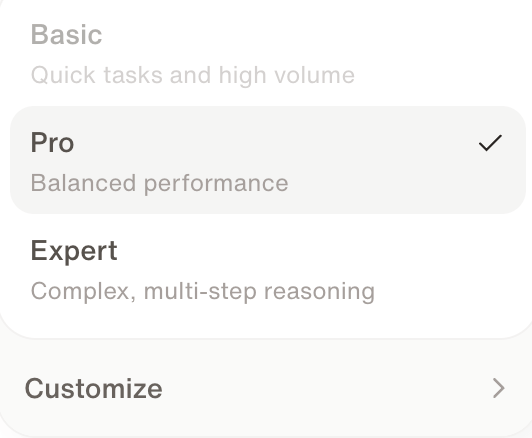
The model selector — Expert, Pro, or Basic. Customize picks a specific model.
1
Build on Expert
While the agent takes shape, prefer Expert — building benefits from the best judgment. Setup conversations can’t use the Basic preset.
2
Run on Pro by default
Execution agents default to Pro. That’s the right setting for ~90% of use cases — you rarely need to touch it.
3
Adjust by evidence
Two paths, depending on what you observe:
- The agent runs perfectly fine? Try lowering the execution agent’s preset — same output, cheaper runs.
- The agent doesn’t work right — information goes missing, or runs time out? Level it up toward Expert and test again.
Complex agents that pull from many sources may genuinely need a higher tier — a smaller context can’t hold everything the workflow touches. And if the workflow is data-heavy and deterministic, the better fix is often programmatic tool calling instead of a bigger model.
Watch: Sub-agents and intelligence levels
See how sub-agents and model tiers work in the product.
Skills
Next: share behavior across agents the right way.
Credits & usage
How tier choice fits into overall spend control.